Remote Work
The Remote Worker's Guide to Time Zone Management
Working across time zones doesn't have to be stressful. Master async communication and scheduling with these proven strategies.
LeadCore Editorial Team
Jun 66m
Your workspace affects your productivity and wellbeing. Here's how to create a professional home office without breaking the bank.
LeadCore Editorial Team
LeadCore Editorial Team
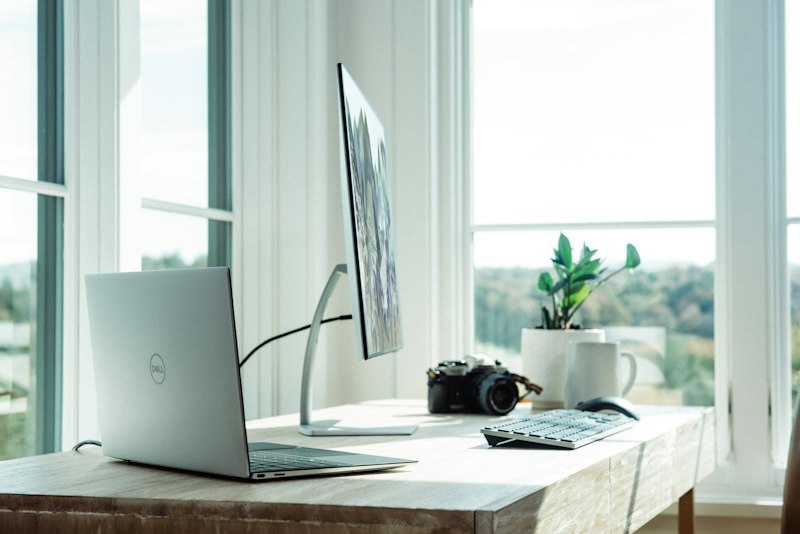
Your home office isn't just a place to work — it's an investment in your productivity, health, and professional image. A well-designed workspace helps you focus, avoids physical strain, and presents a professional appearance on video calls.
You don't need a separate room, but you need a dedicated area:
This is the single most important investment:
Good lighting reduces eye strain and improves video call quality:
A stable connection is non-negotiable for remote work:
Pro Tip: Test your internet speed regularly using free tools like Speedtest.net. If your connection drops during video calls or task submissions, contact your ISP or consider upgrading your plan.
Your background says a lot about your professionalism:
If you can't control your background:
Every 20 minutes, look at something 20 feet away for 20 seconds. This reduces eye strain significantly.
A great home office doesn't require a huge budget. Start with the essentials — dedicated space, comfortable chair, proper lighting, and reliable internet. Upgrade incrementally as your income grows. Prioritize ergonomics and create a professional, consistent background for video calls.
LeadCore Editorial Team
LeadCore Editorial Team
Working across time zones doesn't have to be stressful. Master async communication and scheduling with these proven strategies.

Remote work freedom comes with responsibility. Learn how to maintain productivity and protect your physical and mental health.

Everything you need to know to get started on LeadCore — from creating your account to landing your first remote gig.
Get the latest remote work insights, career tips, and platform updates delivered to your inbox.
No spam. Unsubscribe anytime.